How To Download ILoe Certificate
The ILOE certificate is an important document for employees working in the United Arab Emirates. It serves as official proof that a worker is registered under the Involuntary Loss of Employment (ILOE) insurance scheme, a government initiative designed to provide financial protection to employees who lose their jobs unexpectedly. The main goal of this program is to support workers during difficult times by offering temporary financial assistance while they search for new employment.
An ILOE insurance certificate confirms that an employee is actively subscribed to the unemployment insurance system. It usually includes important information such as the employee’s name, Emirates ID number, policy details, and the period of insurance coverage. Many employees need this certificate for record-keeping, verification, or when applying for unemployment benefits.
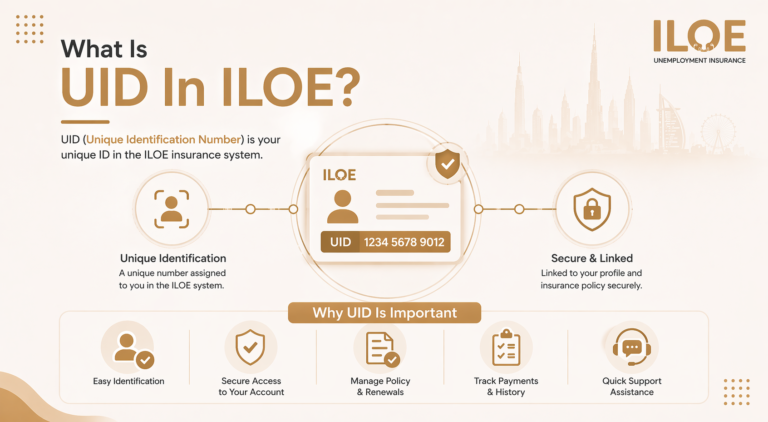
Because the process is now fully digital, employees can easily access their certificate online. If you are wondering how to get ILOE certificate or how to download ILOE certificate, the process is simple and only takes a few minutes through the official ILOE website or mobile application.
Who Needs an ILOE Certificate?
Many employees in the UAE may need the ILOE certificate for different reasons. Since the unemployment insurance scheme is mandatory for most workers, the certificate acts as confirmation that the employee is compliant with the program.
Here are some common situations where the certificate may be required:
Keeping a copy of your ILOE insurance certificate can be helpful if you ever need proof that you are enrolled in the program.
Requirements to Download the ILOE Certificate
Before you begin the process of downloading the certificate, make sure you have a few basic details ready. These details are required to log in and access your insurance policy information.
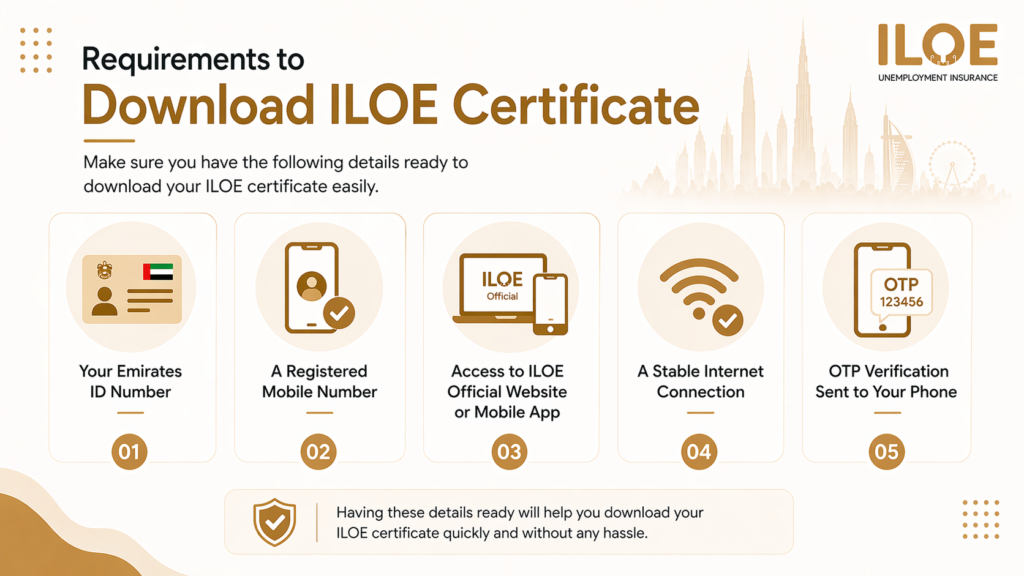
You may need the following:
Having this information ready will make the process of how to download ILOE certificate much faster and easier.
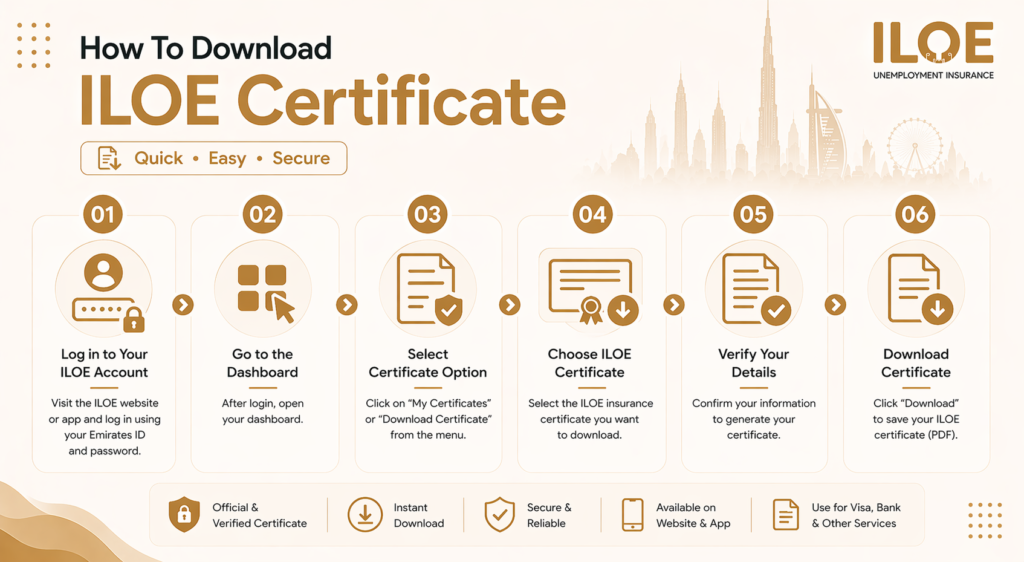
How to Download ILOE Certificate
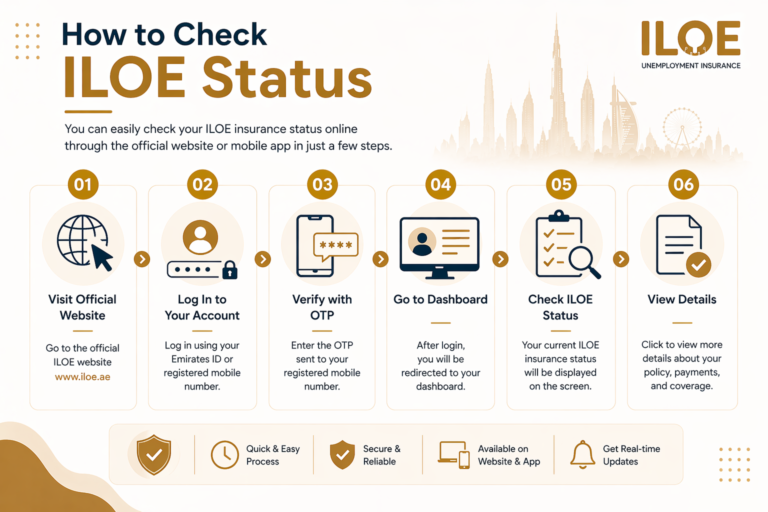
If you are looking for how to get ILOE certificate, the easiest way is through the official website. The process is straightforward and can be completed in just a few minutes.
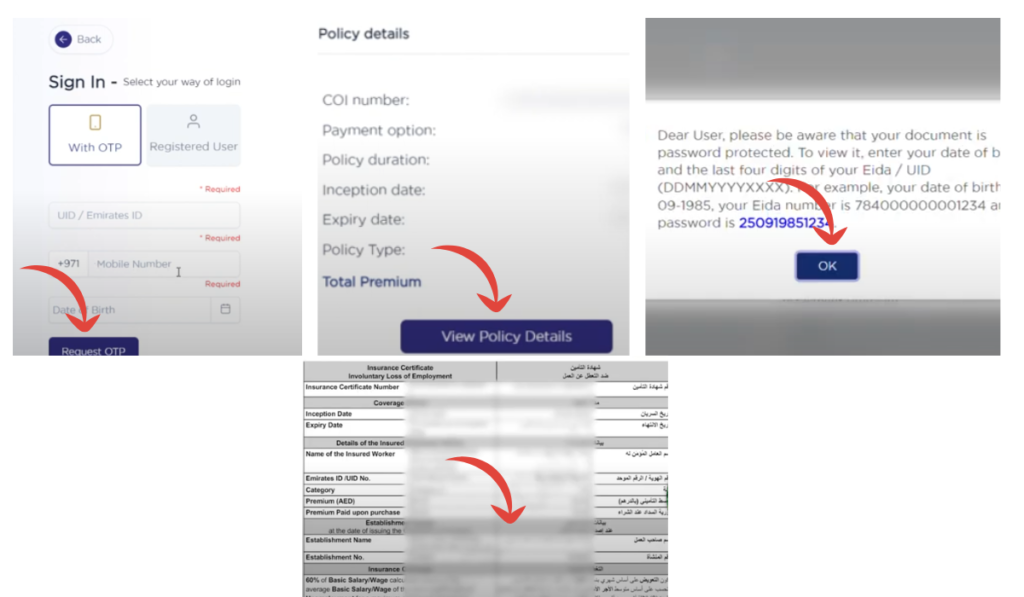
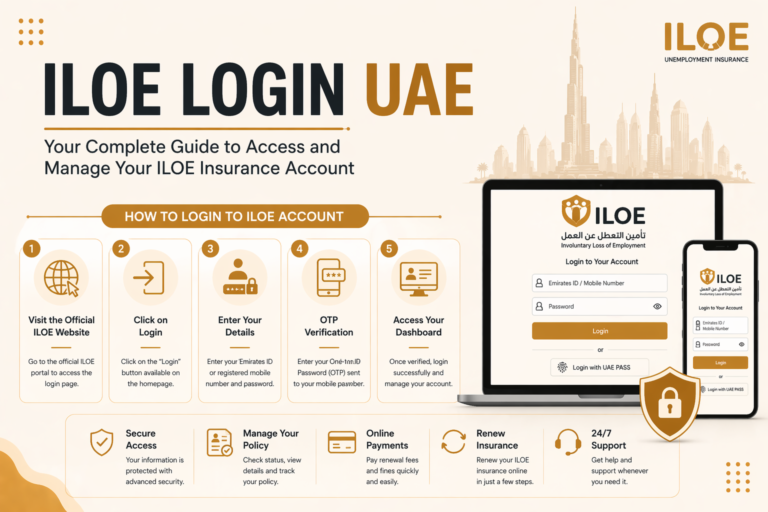
Step 1: Visit the Official ILOE Website
Open your browser and go to the official website: https://www.iloe.ae
This website allows employees to manage their insurance subscription and download their certificates.
Step 2: Click on the Login Option
Once the website loads, find the login section. You can log in using your Emirates ID number or registered mobile number.
Step 3: Verify Your Identity
After entering your details, the system will send a One-Time Password (OTP) to your registered phone number. Enter the OTP to verify your identity.
Step 4: Click On View Policy Details
Once you click on view policy details, you will be asked to enter a password because this document is password-protected. Once you enter the password, you can proceed with downloading your certificate.
Step 5: Download the Certificate
Look for the ILOE certificate option. Click the Download Certificate button to save the file to your device. The certificate is usually available in PDF format, which you can easily print or store digitally.
Download ILOE Insurance Certificate Using App
Another convenient way to access your ILOE insurance certificate is through the mobile application. This option is especially useful for employees who prefer using their smartphones.
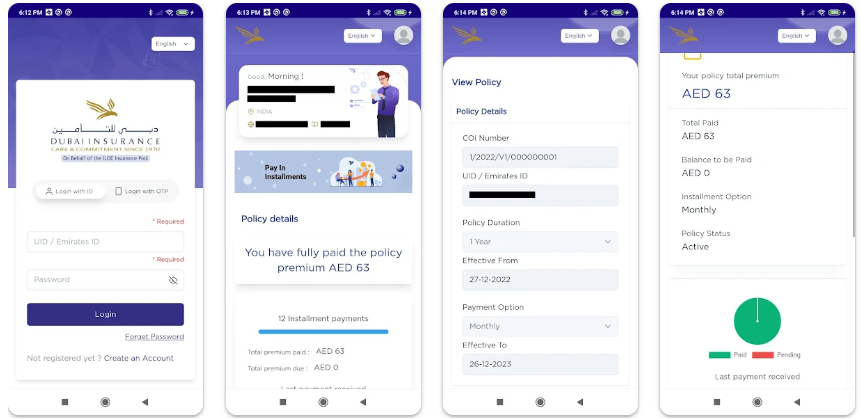
Follow these steps:
The certificate will be saved to your phone and can be shared or printed whenever needed. This is the most common method used when people search for how to download an ILOE certificate online.
Common Issues While Downloading the Certificate
Although downloading the ILOE certificate is usually simple, some users may face minor issues during the process. Here are a few common problems and their solutions.
OTP Not Received: Sometimes the verification code may take longer to arrive. Make sure your phone number is correct and has network coverage.
Login Issues: If the system cannot find your account, double-check that you are registered for the ILOE insurance scheme.
Website Loading Problems: If the website is slow or not loading, try refreshing the page or using another browser.
PDF Not Opening: Ensure that your device has a PDF reader installed so you can open the downloaded certificate.
Benefits of Having an ILOE Certificate
Keeping your ILOE insurance certificate saved can be very useful. It acts as an official record showing that you are covered under the unemployment insurance system.
Some key benefits include:
Because of these advantages, it is always recommended to download and save your ILOE certificate once you register for the scheme.
Frequently Asked Questions
2. How to get ILOE certificate online?
You can get the certificate by logging into the official ILOE website or mobile app, accessing your policy dashboard, and downloading the certificate.
3. How to download ILOE certificate?
Visit the official ILOE portal, log in with your Emirates ID or mobile number, verify with OTP, and select the download certificate option.
4. Is the ILOE insurance certificate required for claims?
Yes, the ILOE insurance certificate may be required when applying for unemployment compensation benefits.
Conclusion
The ILOE certificate is a valuable document for employees working in the UAE. It confirms that you are enrolled in the country’s unemployment insurance program and eligible for financial support if you lose your job due to circumstances beyond your control. Since the entire process is digital, accessing the certificate is quick and convenient.
Whether you want to know how to get ILOE certificate for your records or how to download ILOE certificate for verification purposes, the official website and mobile app provide simple solutions. By logging into your account and accessing your policy dashboard, you can download your ILOE insurance certificate within minutes.