Iloe Login
Managing your unemployment insurance in the UAE starts with one important step: accessing your account through the Iloe Login system. Whether you want to check your policy status, renew your subscription, or see if any penalties have been applied, everything begins with a simple login. The iloe insurance login portal gives you full control over your account, allowing you to monitor fines, make payments, and stay compliant with UAE regulations.
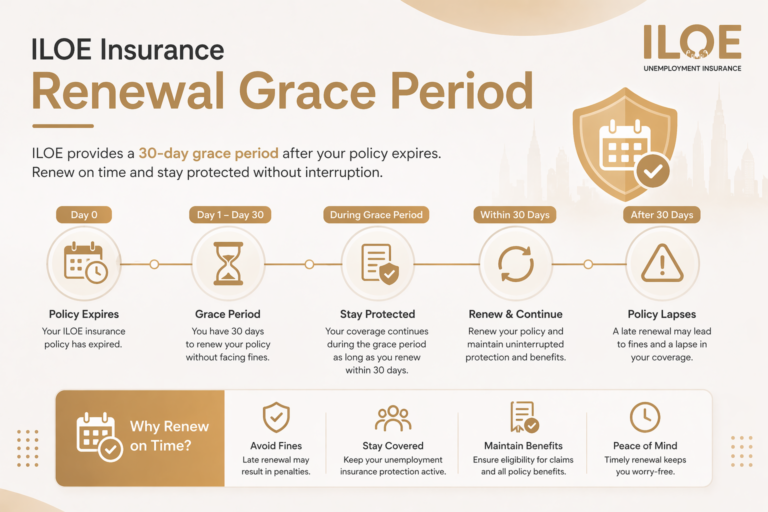
Many employees only realize they have an outstanding penalty when they log in to their account. That’s why regularly using the iloe login UAE system is essential. It helps you stay updated, avoid missed deadlines, and complete your iloe insurance renewal on time. By keeping track of your account through login, you can prevent fines before they happen and ensure your insurance remains active without interruption.
What is ILOE Login?
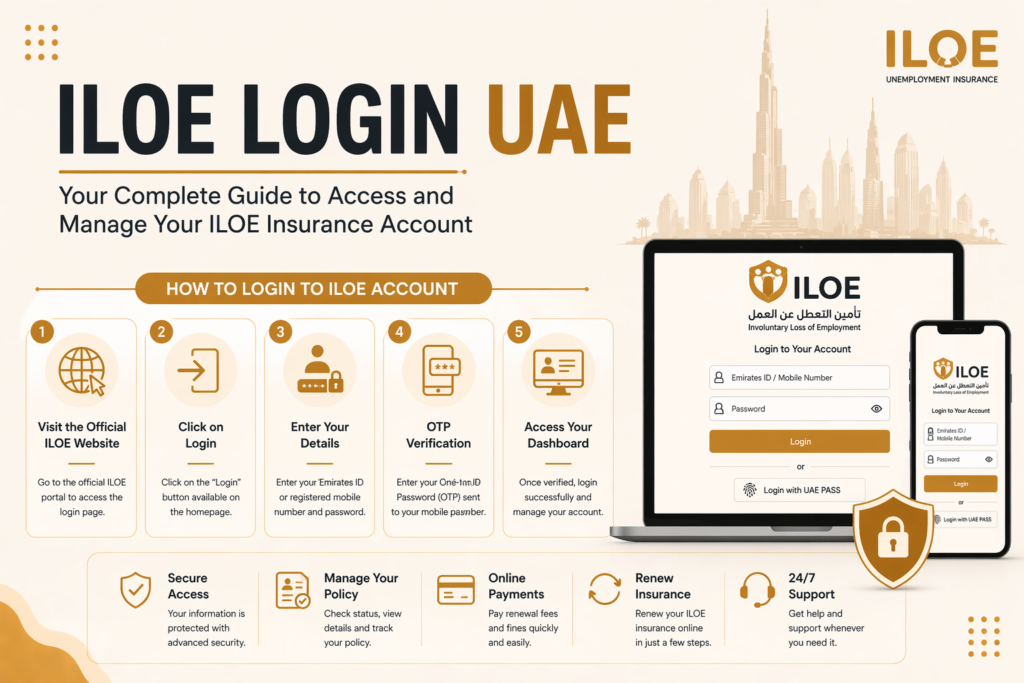
ILOE login is the process of accessing your unemployment insurance account through the official ILOE platform. This account allows you to manage your insurance policy, make payments, check expiry dates, and apply for claims.
The login system is available through:
- Official ILOE website
- ILOE mobile application
Users can log in using their Emirates ID, mobile number, or UAE Pass, depending on the platform.
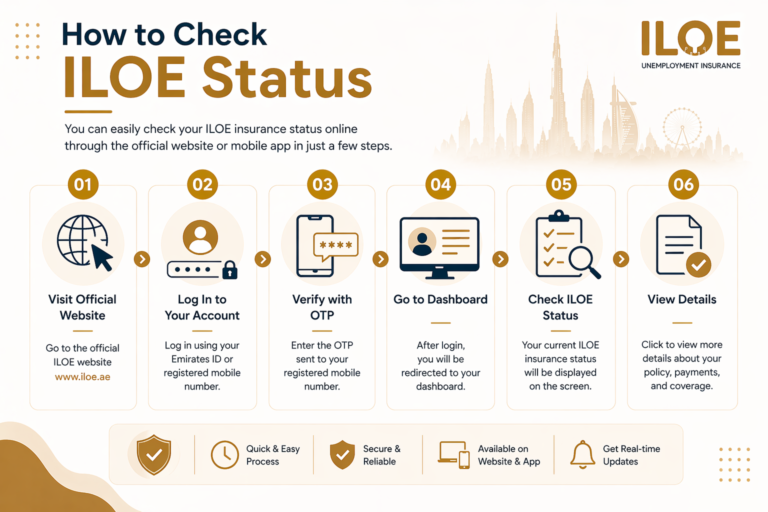
How to Login to ILOE Account (Step-by-Step Guide)
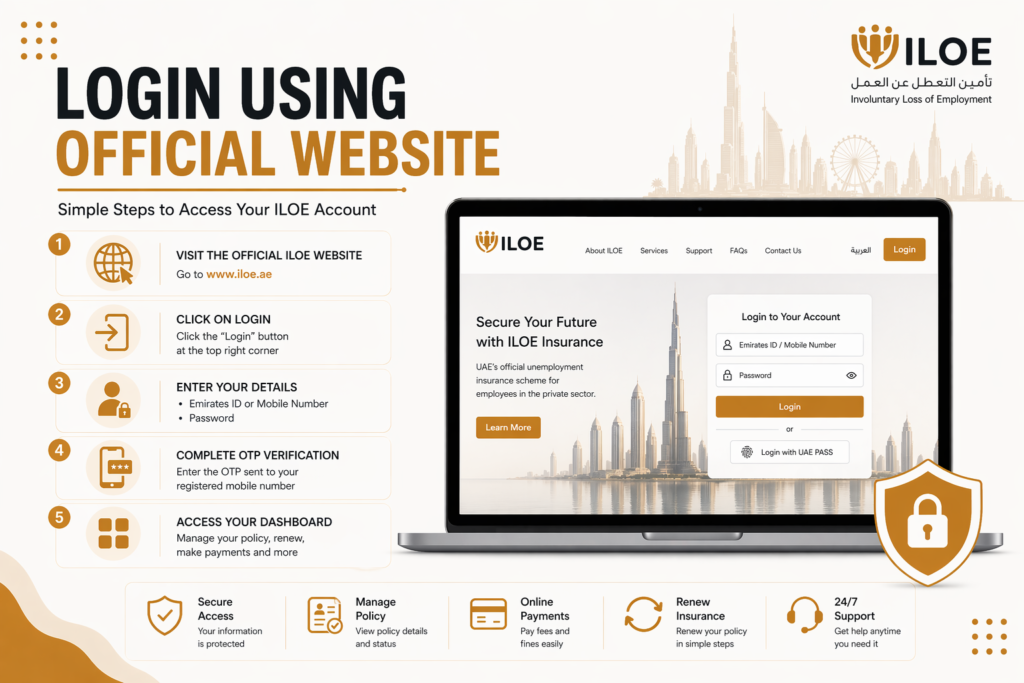
1. Visit the Official ILOE Website
Start by opening your web browser and visiting the official ILOE portal: https://www.iloe.ae. Always make sure you are using the official website to protect your personal information. Avoid clicking on unknown links or third-party websites, as they may not be secure. Using the correct portal ensures your data remains safe and your login process is smooth.
2. Click on the Login Option
Once the homepage loads, look for the “Login” button. It is usually located at the top right corner of the page. Click on it to proceed to the login screen.
This section is specifically designed for existing users who already have an account. If you are a new user, you may need to register first before accessing the login panel.
3. Enter Your Login Details
On the login page, you will be asked to enter your credentials. Provide the required information carefully:
- Emirates ID number or registered mobile number
- Your account password
Make sure there are no typing errors while entering your details. Even a small mistake can prevent you from logging in. If you are unsure about your password, you can use the “Forgot Password” option to reset it.
4. Complete OTP Verification
After entering your login details, the system may send a One-Time Password (OTP) to your registered mobile number. This step adds an extra layer of security to your account.
- Check your phone for the OTP code
- Enter the code in the required field
- Confirm to proceed
If you do not receive the OTP, wait a few seconds and request it again. Also, make sure your mobile number is active and has network coverage.
5. Access Your ILOE Dashboard
Once your identity is verified, you will be successfully logged in and redirected to your account dashboard. This is your main control panel where you can manage all ILOE services.
From the dashboard, you can:
- Check your insurance status
- View policy details and expiry date
- Pay fines or subscription fees
- Complete renewal process
- Submit and track claims
It is recommended to log in regularly to stay updated and avoid missing important deadlines related to your ILOE insurance.
ILOE Login Through Mobile App
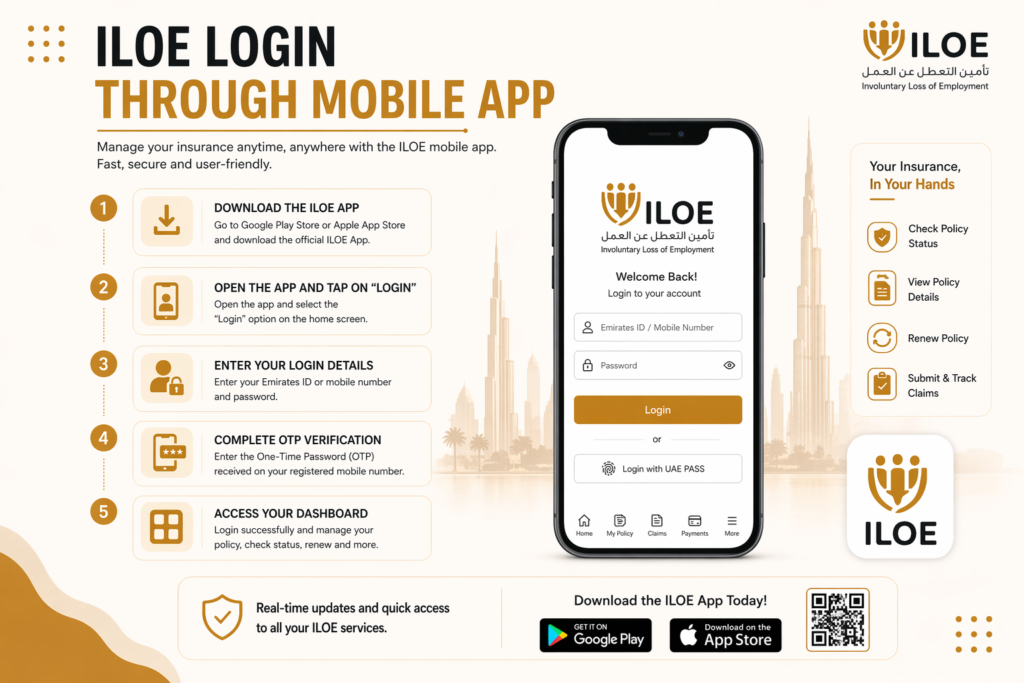
For users who prefer managing their insurance on a smartphone, the ILOE mobile application provides a fast and convenient way to access your account. The app is designed to be user-friendly, allowing you to log in, check your policy, and complete important tasks anytime and from anywhere.
Download the ILOE App
Go to the Google Play Store or Apple App Store and search for the official ILOE App. Download and install it on your device.
Open the App and Tap on “Login”
Once the app is installed, open it and select the “Login” option on the home screen.
Enter Your Login Details
Provide your Emirates ID number or registered mobile number along with your password. Make sure the information is entered correctly.
Complete OTP Verification
You will receive a One-Time Password (OTP) on your registered mobile number. Enter the code to verify your identity and proceed.
Access Your Dashboard
After successful verification, you will be logged in and redirected to your dashboard, where you can manage your insurance details, check status, renew your policy, and more.
The ILOE app provides real-time updates and is especially useful for quick access, making it easier to stay updated and manage your insurance on the go.
Login Using UAE Pass
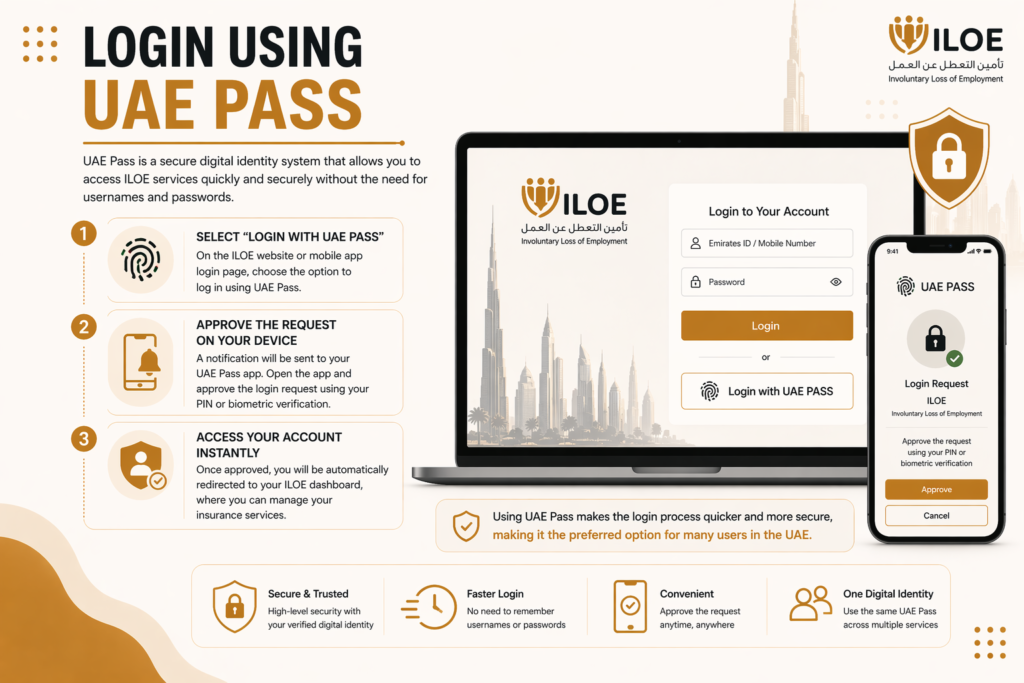
UAE Pass is a secure digital identity system that allows users in the UAE to access government and related services without needing separate usernames and passwords. It simplifies the login process for ILOE by providing a fast and highly secure authentication method.
Select “Login with UAE Pass”
On the ILOE website or mobile app login page, choose the option to log in using UAE Pass.
Approve the Request on Your Device
A notification will be sent to your UAE Pass app. Open the app and approve the login request using your PIN or biometric verification (fingerprint/face ID).
Access Your Account Instantly
Once approved, you will be automatically redirected to your ILOE dashboard, where you can manage your insurance services.
Using UAE Pass makes the login process quicker and more secure, making it the preferred option for many users in the UAE.
How to Reset ILOE Login Password
If you are unable to log in because you forgot your password, you can easily reset it through the official ILOE login system. The process is simple and only takes a few minutes.
Steps to Reset Your Password:
Click on “Forgot Password”
On the login page, select the “Forgot Password” option to start the reset process.
Enter Your Details
Provide your Emirates ID number or registered mobile number to identify your account.
Verify with OTP
You will receive a One-Time Password (OTP) on your registered mobile number. Enter this code to confirm your identity.
Create a New Password
Set a new password for your account. Make sure it is strong and secure.
Login Again
Use your new password to log in and access your ILOE account.
For better security, always choose a strong password that includes a mix of letters, numbers, and symbols, and avoid sharing it with anyone.
Tips for Secure ILOE Login
- Always use the official ILOE website or mobile app to access your account
- Never share your login details such as password or OTP with anyone
- Enable UAE Pass for an extra layer of secure and quick authentication
- Always log out after using your account on public or shared devices
- Keep your mobile number and email updated for verification and alerts
- Use a strong password that includes letters, numbers, and symbols
- Avoid logging in on unsecured or public Wi-Fi networks
- Regularly check your account activity to detect any unusual access
These simple steps help protect your personal and financial information and keep your account secure.
Frequently Asked Questions
2. How can I access iloe login uae?
You can log in using the official website or mobile app with your Emirates ID or mobile number.
3. Can I renew my insurance through login?
Yes, you can use iloe insurance renewal online login to renew your policy بسهولة.
4. What should I do if I forget my password?
Use the “Forgot Password” option to reset it.
5. Is iloe insurance login secure?
Yes, it uses OTP and secure authentication methods to protect your account.
6. Can I use UAE Pass for login?
Yes, UAE Pass provides quick and secure access without a password.
Conclusion
The Iloe Login system is the central tool for managing unemployment insurance in the UAE. From checking your policy status to completing renewals and submitting claims, everything is accessible through a simple and secure login process. With iLOE UAE, you can stay up to date, avoid missed deadlines, and keep your insurance active.